Analyzer System


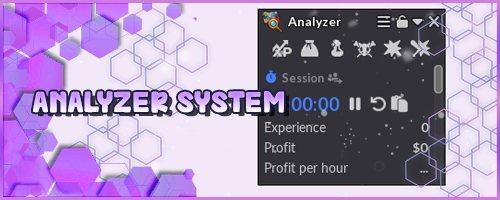
The Analyzer tool allows players to track a variety of information related to their in-game activities, such as earnings and spending on different content. It also displays additional data, such as damage dealt and taken, experience earned, and Pokémon defeated.
To access the tool, players can use the shortcut key, which is set to H by default, or select it from the top menu by clicking the  icon in the list.

With the tool open, the player can choose which information to keep visible.
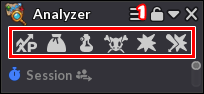
- The button labeled with the number 1 allows the player to hide or show the icons located directly below it.
- Inside the rectangle are the icons that allow the player to choose which information will be displayed in the system, namely: Experience, Drops, Supplies, Enemies Defeated, Damage Dealt, and Damage Taken.
Session
The tool allows you to switch between the individual session and the party session. When you select the party session, damage information will be displayed differently than in the individual session, showing data for all players in the party.
In this section, players can also start the countdown, reset the recorded information, and copy the data so they can save or share it later.
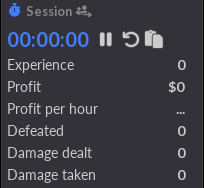
The tool also provides a summary of information on experience gained, total profit, profit per hour, the number of enemies defeated, damage dealt, and damage taken.
The profit information also includes a visual indicator: when displayed in green, it indicates that the player is making a profit; when displayed in red, it indicates that expenses are resulting in a loss.
Experience
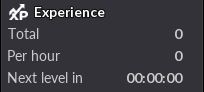
The Experience tab displays detailed information about the experience earned during the session, including the total experience earned, the estimated experience per hour, and the time required to reach the next level.
Damage
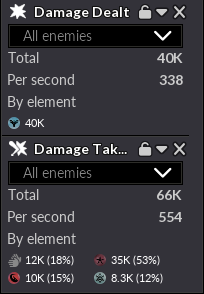
The Damage section is divided into two categories: Damage Dealt and Damage Taken. By default, both display information such as total damage and damage per second.
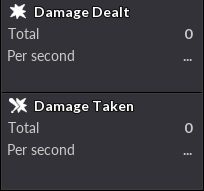
As the player deals or takes damage, more detailed data is displayed, such as the breakdown of damage by element and by basic attacks. In addition, the player can filter the information to view data for all enemies or select a specific type of enemy encountered during the session.
Supplies
The Supplies category shows the player the resources consumed during the session and displays an average of the hourly expenses. The system tracks the items used, such as berries and potions, for example.
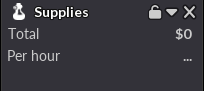
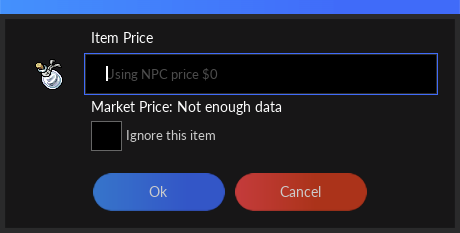
By default, the system uses each item's NPC price to calculate expenses. However, the player can manually adjust the price or have a specific item ignored in the calculation.
To access these options, simply hover your mouse cursor over the desired item and click the option that appears above it.
Drops
The Drops tab shows the items collected by the player throughout the session, allowing you to track the total value of the drops and an estimate of the value earned per hour.
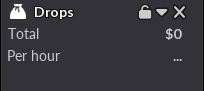
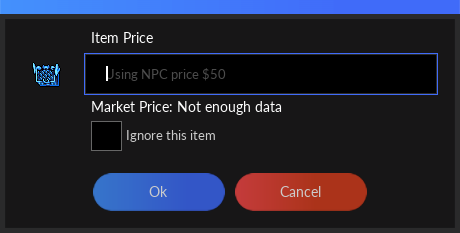
By default, the value of items is calculated based on the NPC selling price. However, just as in Supplies, players can manually set the value of each item or choose to exclude it from the count. The system also displays the item's value on the server's Market, allowing players to use it as a reference.
Enemies Defeated
The Enemies Defeated category tracks the number of enemies that were defeated during the session, showing the overall total and the total number of rare enemies separately, as well as their respective hourly averages.
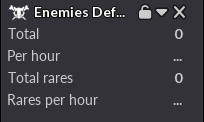
Players can also set certain enemies to be ignored by the counter, so that their defeats are not included in the session statistics.
Note: Tier 1, Shiny, Mega, and Hisui Pokémon are considered rare enemies.