Adventurers can collect buried  Hidden Relics scattered across the map.
Sem resumo de edição |
|||
| Linha 73: | Linha 73: | ||
===Item Finder=== | ===Item Finder=== | ||
The Item Finder is used to locate hidden treasure chests and Dungeons. To use it, simply use | The Item Finder is used to locate hidden treasure chests and Dungeons. To use it, simply use the item on the ground, and it will indicate the direction of the nearest treasure chest or Dungeon. | ||
====How to Use the Item Finder==== | |||
The Item Finder works in a simple way: when used on the ground, the device will indicate the direction and approximate distance to the target. | |||
= | <center>[[Arquivo:usandofinder.gif|link=]]</center> | ||
The | The Finder's color indicates the target's distance from the player. If the target is on another floor, the device will also display a blue arrow indicating whether it is above or below the player's current position. | ||
<center>[[Arquivo: | <center> | ||
{| class="wikitable" style="text-align:center; width:50%;" | |||
|- | |||
! Short Distance | |||
! Medium Distance | |||
! Long Distance | |||
! Upper Floor | |||
! Lower Floor | |||
|- | |||
| [[Arquivo:FinderVerde.png|link=]] | |||
| [[Arquivo:FinderAmarelo.png|link=]] | |||
| [[Arquivo:FinderVermelho.png|link=]] | |||
| [[Arquivo:FinderUp.png|link=]] | |||
| [[Arquivo:FinderDown.png|link=]] | |||
|} | |||
</center> | |||
While using the Finder, the system also helps locate the target through the map (Ctrl + Tab), indicating the area where it may be located. As the player uses the item, the indicated area gradually narrows down, making the location increasingly precise. | |||
When the indication turns green, or when the treasure chest is located up to one floor above or below the player's current position, the system will mark its exact location on the map with a chest icon. '''If the treasure chest is two or more floors away, this marker will not be displayed.''' | |||
<center> | <center> | ||
[[Arquivo: | {| class="wikitable" style="text-align:center; width:50%;" | ||
[[Arquivo: | |- | ||
[[Arquivo: | ! colspan="3" | Item Finder System Usage Example | ||
|- | |||
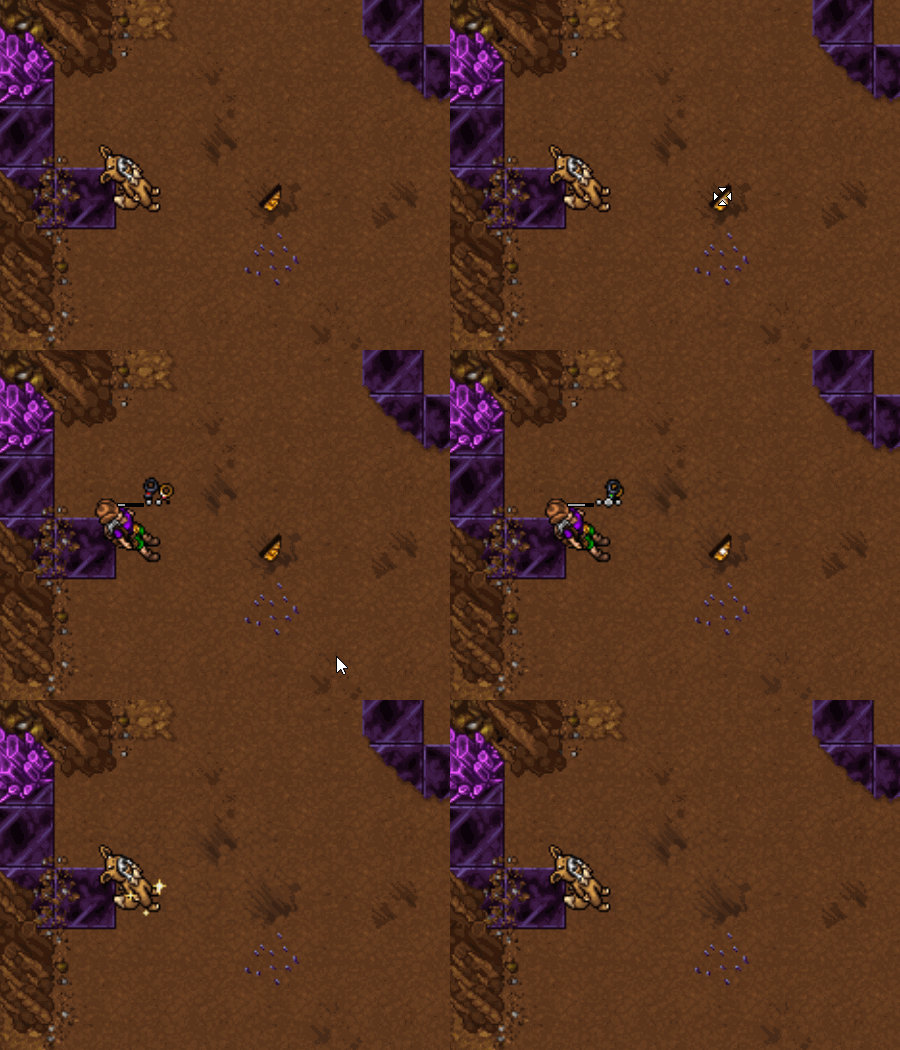
| [[Arquivo:Uso Finder1.webp|link=]] | |||
| [[Arquivo:Uso Finder2.webp|link=]] | |||
|- | |||
| [[Arquivo:Uso Finder3.webp|link=]] | |||
| [[Arquivo:Uso Finder4.webp|link=]] | |||
|} | |||
</center> | </center> | ||
====Resetting the Item Finder==== | |||
To restart the search, you can reset the Item Finder by pressing '''CTRL + Right-click''' on it and selecting the '''Reset''' option. You can also use the '''!resetfinder''' command. | |||
== Rank S == | == Rank S == | ||



The Adventurer profession involves exploring the map in search of mysteries, hidden tombs, and treasure chests. The main resource used by this profession is the Lockpick, an indispensable tool for opening chests found during exploration.
To learn more about the Adventurer profession, the player can talk to NPC Todd Snap, located north of the Trade Center. After viewing the profession guide, simply talk to Todd Snap again to receive a portable Workshop E. This item is unique and can be sold back to the NPC.

As the player's profession skill increases, they will be able to upgrade their Workshops, unlocking new ranks. Each rank has a skill range and requires a minimum character level.
| Rank | Skill | Required Level |
|---|---|---|
| E | 0 to 20 | 10 |
| D | 20 to 40 | 35 |
| C | 40 to 60 | 70 |
| B | 60 to 80 | 140 |
| A | 80 to 100 | 250 |
| S | 100 to 120 | 300 |
Adventurers use two resources to craft their items: Gold Coin and Cooking Token.
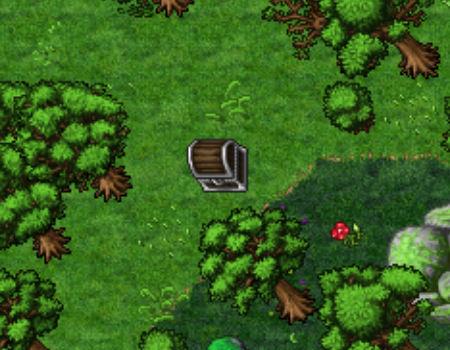
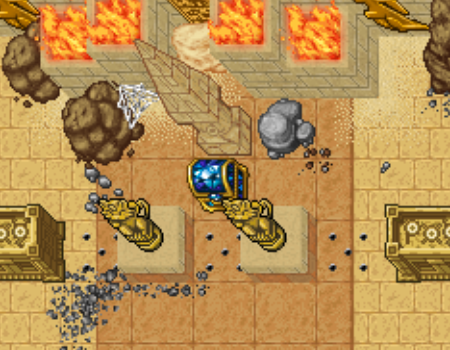
Gold Coins are obtained by opening wooden chests scattered across the map or found in Adventurer Dungeons. To open chests found around the map, the player must use a Lockpick, an item crafted at Rank E of the profession.
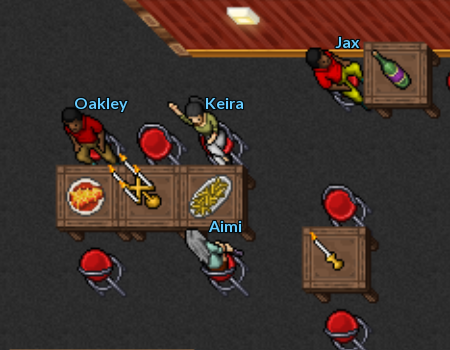
Cooking Tokens are obtained by serving customers at restaurants or food stalls. Customers who want to place an order will have their hands raised, indicating that they are waiting to be served.
The Adventurer must always keep an eye on the surroundings in search of treasures, as the chests scattered across the map do not require any payment to open and can offer great rewards. To open them, the player must use a Lockpick, so it is recommended to carry several in their backpack.
When using a Lockpick on a chest, a window will open, showing the tool stuck in the lock. To open it, the player must position the Lockpick according to their intuition and hold down the spacebar on the keyboard. If it is in the wrong position, it will turn red and gradually begin to break. When noticing this change, release the spacebar, adjust its position, and try again. Repeat this process until the lock turns completely and the chest opens.
The difficulty of opening chests varies according to the player's skill level in the profession.

The Item Finder is used to locate hidden treasure chests and Dungeons. To use it, simply use the item on the ground, and it will indicate the direction of the nearest treasure chest or Dungeon.
The Item Finder works in a simple way: when used on the ground, the device will indicate the direction and approximate distance to the target.

The Finder's color indicates the target's distance from the player. If the target is on another floor, the device will also display a blue arrow indicating whether it is above or below the player's current position.
| Short Distance | Medium Distance | Long Distance | Upper Floor | Lower Floor |
|---|---|---|---|---|

|

|

|

|

|
While using the Finder, the system also helps locate the target through the map (Ctrl + Tab), indicating the area where it may be located. As the player uses the item, the indicated area gradually narrows down, making the location increasingly precise.
When the indication turns green, or when the treasure chest is located up to one floor above or below the player's current position, the system will mark its exact location on the map with a chest icon. If the treasure chest is two or more floors away, this marker will not be displayed.
| Item Finder System Usage Example | ||
|---|---|---|
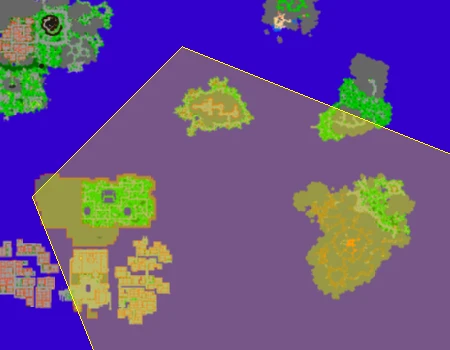
|
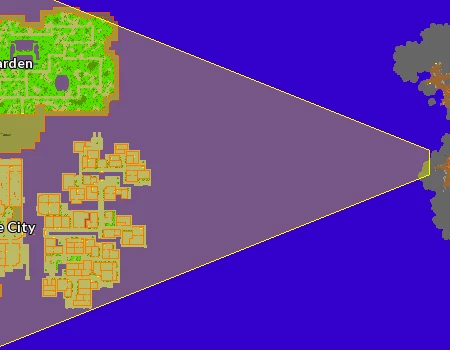
| |
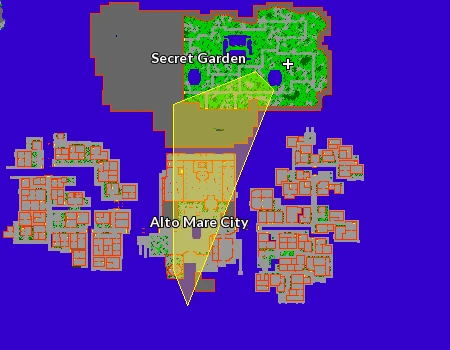
|
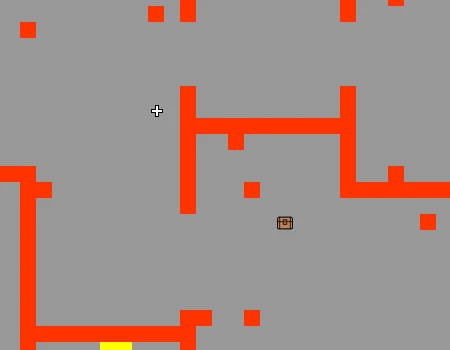
| |
To restart the search, you can reset the Item Finder by pressing CTRL + Right-click on it and selecting the Reset option. You can also use the !resetfinder command.
Upon reaching Skill 100 in the profession and Level 300, the player will be able to access Rank S content.
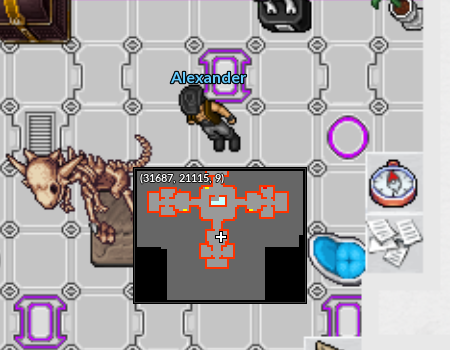
To access the area located in the basement of the Cerulean Resistance Pokémon Center in the Nightmare World, the player must first complete the Introduction Quest. In this location, NPC Todd Snap explains how Rank S works for Adventurers.
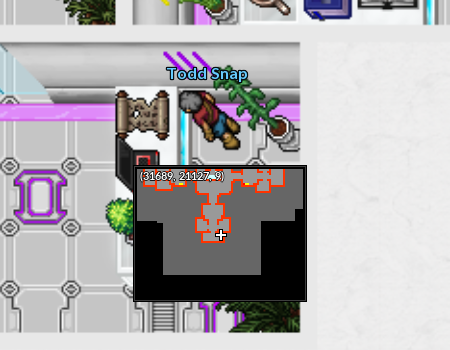
NPC Alexander will also be present in this location. He is responsible for buying profession items crafted at Rank S.
 |
See more: Introduction to Specializations |
Once the necessary requirements are met, the outfits will be unlocked automatically.
| Cook Outfit | Archeologist Outfit | ||
|---|---|---|---|

|

|

|

|
The resources used to craft Rank S items for the Adventurer profession can be obtained in the Nightmare World. To collect them, the player must use the  Toolbag, available in the game's Action Bar, except for chests, which require a Lockpick.
Adventurers can collect buried Hidden Relics scattered across the map.
When opening a Nightmare Chest, the player can obtain  Corrupted Gold Bars,
 Strange Gold Bars, and
 Nightmare Treasure Maps.
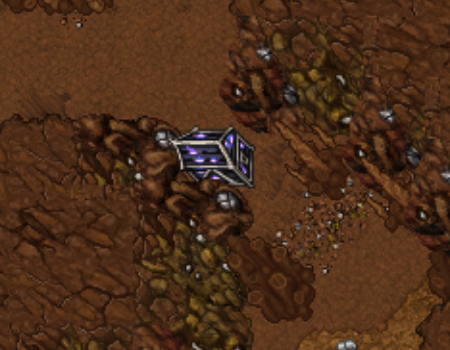
 Food Bags are the resource used in most food-related crafts. They are obtained by collecting loot from defeated Pokémon. The amount obtained may vary depending on the strength of the Pokémon defeated.
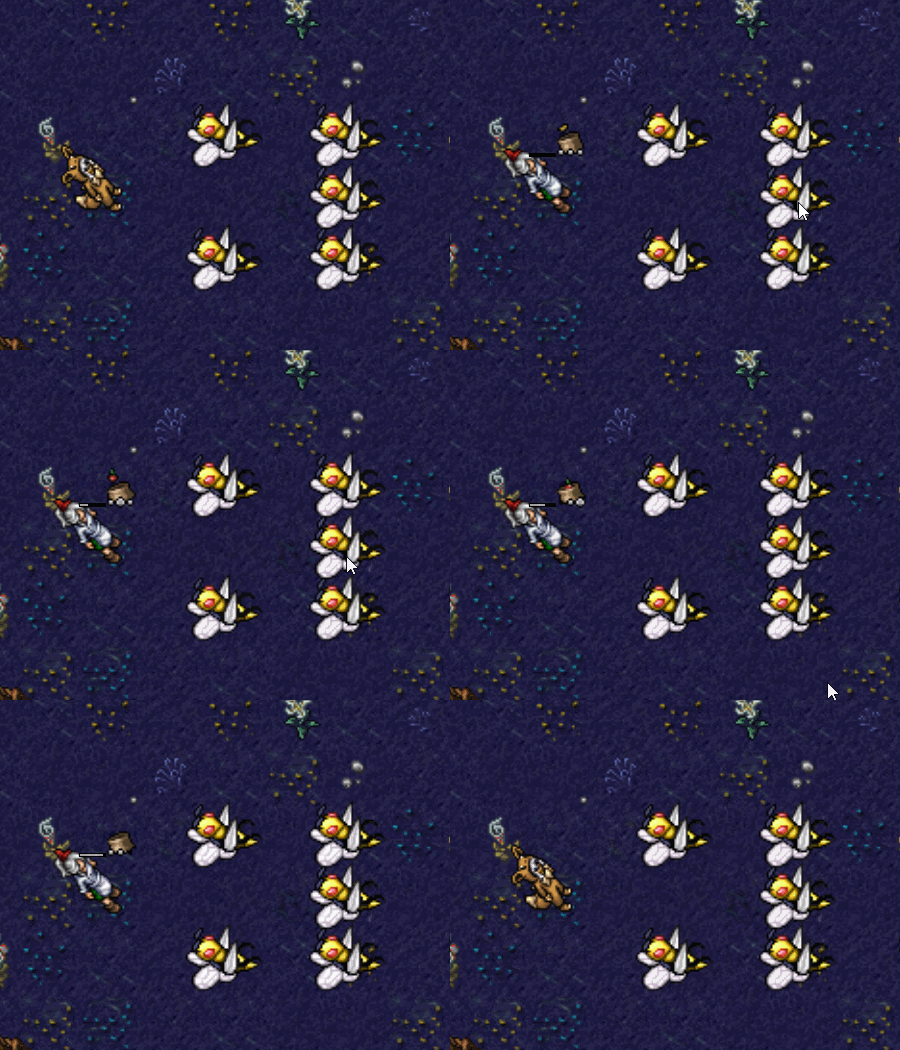
Tip: The  High Tech Device can be used to convert Hidden Relics and Food Bags into Corrupted Gold Bars.
The daily mission consists of delivering food to certain NPCs at the Nightmare World Resistances.
| Individual Reward |
|---|
 50 Hundred Dollars (5K)  2 Nightmare Cooking Tokens  250 Nightmare Experience points |
Note:
| Cerulean | |
|---|---|
Camilo 
|
Catrina 
|
| Lavender | |
|---|---|
Cristine 
|
Mary 
|
| Fuchsia | |
|---|---|
Teodor 
|
Yasmin 
|
| Cinnabar | |
|---|---|
Ashton 
|
Cleo 
|
| Pallet | |
|---|---|
Alvaro 
|
Ryann 
|
| Pewter | |
|---|---|
Nilton 
|
Georgia 
|
Nightmare Cooking Tokens are obtained by completing the daily food delivery missions and are used to increase productivity when preparing food. By enabling the option to use a Nightmare Cooking Token when preparing food and completing the minigame, the player will have a chance to obtain additional extra food when collecting the results. Each food item produced consumes 1 Nightmare Cooking Token from the player's backpack.
Upon reaching Rank S, Adventurers gain an exclusive benefit that makes traveling between Resistances easier. This reduces travel expenses between Resistances and increases travel speed, allowing them to travel more frequently to fulfill various requests.
This benefit applies to Excadrill Transportation, allowing Adventurers to travel without a boost. Additionally, when using the boosted version, the travel cost is reduced from 30k to 25k, and its speed is increased.

The Excavation Center is where Adventurers gather to go on expeditions and search for rare artifacts. To access it, the player must talk to NPC Hoang, located in Fuchsia.
Note: Nightmare Level 20 is required to start the mission.

After being teleported to the island, if the player wishes to return to Fuchsia, they simply need to talk to NPC Ploy, who is located right at the entrance.

When talking to Hiram, he will explain that he would like to go out with his friends, but will need to stay late at work.

He will ask the player to inform his friends Moe, located at the Cerulean Resistance, Larry, located at the Lavender Resistance, and Shemp, located at the Cinnabar Resistance, that he will not be able to see them this week.
| Cerulean | |
|---|---|
Moe 
| |
| Lavender | |
|---|---|
Larry 
| |
| Cinnabar | |
|---|---|
Shemp 
| |
After talking to all of Hiram's friends, the player must talk to him again to receive the reward:  800,000 Experience (800K), 4,500 Nightmare Experience (4.5K), and 5 Strange Gold Bars.
Digger Frank is an expert excavator who uses special tools in his work. He will give the player a mission to defeat 300  Darkrai. As a reward, the player will receive the
 Golden Shovel, which is used to access the Weekly Dungeons.

During her work, Anette discovered that there are many lost chests scattered all over the place. As a good Archaeologist, the player should have no trouble finding them.

She will give the player permission to open the chests located in the Nightmare World.

| Reward | |
|---|---|
 |
Book: Dungeons - Fire Mountain Temple. |
 |
Book: Dungeons - The Frozen Temple. |

| Reward | |
|---|---|
 |
Book: Dungeons - Zeraora Lair's. |
 |
Book: Dungeons - Unown's Secret Place. |

| Reward | |
|---|---|
 |
Book: Dungeons - Golden Steelix's Lair. |
 |
Book: Dungeons - Magearna's Temple. |

| Reward | |
|---|---|
 |
Book: Dungeons - Birth Island. |
 |
Book: Dungeons - Mythical Garden. |

| Reward | |
|---|---|
 |
Book: Dungeons - Darkrai's Cultists Temple. |
 |
Book: Dungeons - Sea Guardians Temple. |
Note: These books serve as small hints about the locations of the Weekly Dungeons.
Professor Sycamore is a renowned Pokémon researcher and is responsible for a weekly mission. To complete it, the player must deliver 5 Professor Oak's Research Journals, which are obtained as rewards from Weekly Dungeons.

After delivering the 5  Professor Oak's Research Journals, the player will receive:
 1x Random Epic Rift, 200 Hidden Relics, 1,000,000 Experience (1KK), and 3,000 Nightmare World Experience (3K).
To access a Dungeon, the player must use the Golden Shovel obtained from NPC Digger Frank at the exact location where the Dungeon is found.
The entrance fee for each Dungeon is 1  Treasure Map, which can be crafted at the Adventurer Workshop S.
For each successful mission, the player will receive some Hidden Relics, one Professor Oak's Research Journal, and may also obtain rare drops.
Note: Bless is not lost when dying in a Dungeon.


